
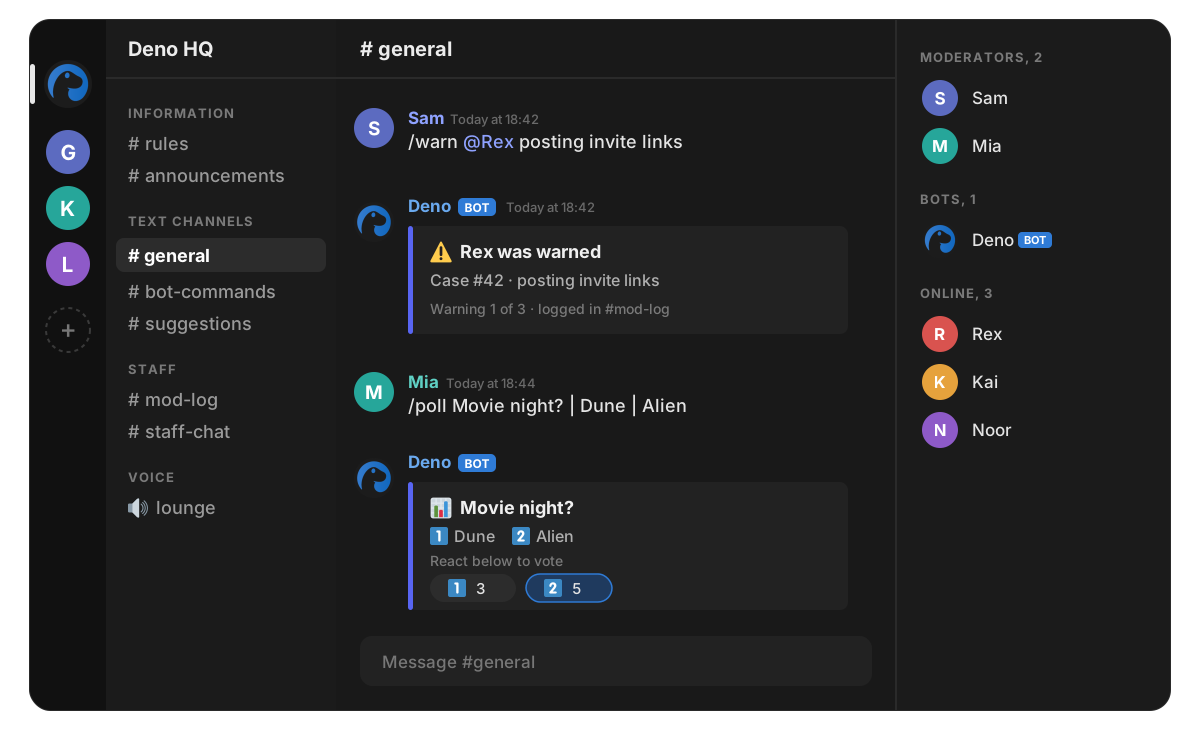
Set it up
- Open the invite link and pick the server you manage.
- Give the Deno role Manage messages, Kick, Ban, Timeout, Manage roles, Manage channels and Manage permissions.
- Put the Deno role above the members it should act on.
- Type /setup in a channel and follow the steps.
What is different on Stoat
- Commands are typed as text, like /ban @user spam. Stoat has no slash command menu.
- Buttons are reactions. Polls, giveaways, tickets and /setup show an emoji legend, and clicking means reacting with that emoji.
- Embeds are simpler. Fields and the footer are folded into the description.
- Commands that rely on Yapin’ are left out: invite tracking and the voice list. Stoat does not provide that information.
- There is no dashboard login for Stoat, because Stoat has no way to log in to other apps. Everything is done with commands.
Commands only on Stoat
/createinvite: Make an invite link for this channel (moderators)/dashboard: There is no dashboard on Stoat, everything is a command/emojis: This server's custom emoji/nsfw: Mark this channel age restricted, or not (moderators)/sayas: Post a message under another name (moderators)/search: Search this channel for text (moderators)/stoatinfo: Which Stoat this is, and its limits
Every other command in the command list works on Stoat too.